AccessibilityGPT
A Shared Source of Truth for Accessibility questions.
The Problem
Accessibility discussions can quickly become subjective. When a question comes up about whether a design or interaction meets WCAG, people may interpret the guidelines differently or rely on personal experience.
I wanted to create a way for the team to quickly validate those discussions against the actual WCAG documentation, without having to search through a large and sometimes difficult-to-navigate specification.
The Idea
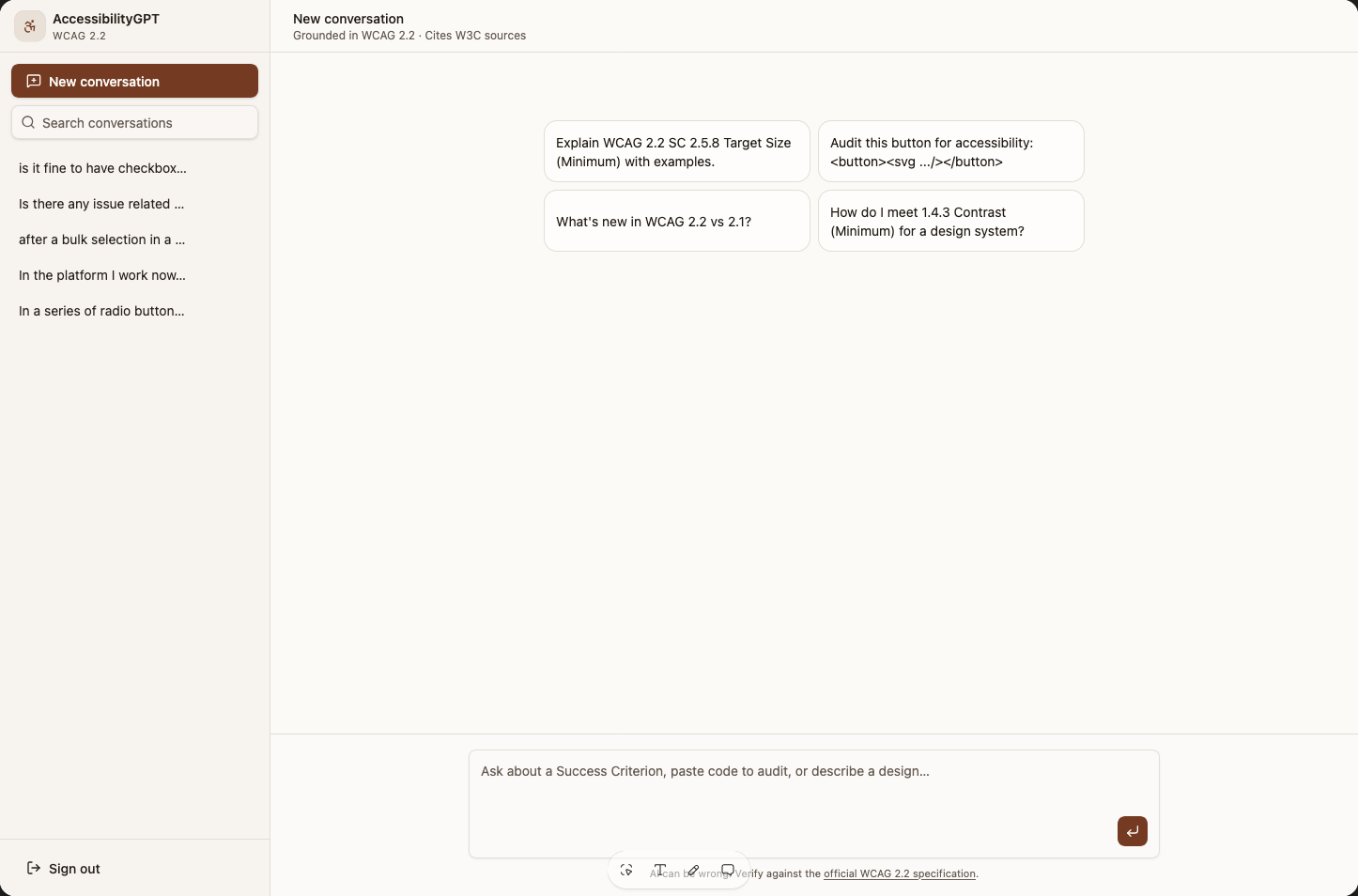
I created a ChatGPT-like interface focused exclusively on WCAG documentation.
Instead of providing general AI knowledge, the tool uses the WCAG guidelines as its source of truth, allowing the team to ask questions in natural language and get clear explanations based on the official documentation.
How it works
The experience is intentionally familiar: users can ask questions just as they would in a normal AI conversation.
The key difference is the knowledge boundary. The assistant is designed to answer questions using WCAG documentation, helping users understand what the guidelines actually say and how they relate to a specific situation.
This makes it useful during design critiques, QA discussions, and team conversations where a quick clarification is needed.
Question → WCAG knowledge → Clear explanation
Designing the experience
The interface needed to feel as approachable as ChatGPT while making it clear that this wasn't a general-purpose AI assistant.
The experience focuses on asking a question, understanding the relevant guideline, and using that information to support a discussion — rather than replacing human judgment, and allowing to have multiple conversations.
The impact
The tool gives the team a shared reference point when discussing accessibility.
Instead of debating based on interpretation or spending time searching through documentation, the team can quickly ask the assistant and use the WCAG guidance to inform the conversation.
Less interpretation. More clarity. A shared accessibility language.