SLT Assist

Product Design
AI
Motion
Project
An AI-powered writing assistant that helps users improve text directly inside the platform. By selecting text within an input, users can generate and refine suggestions without leaving their workflow.
Goals
- Reduce friction when users need to improve or rewrite content
- Keep AI contextual by making it available directly within the text input
- Make the interaction intuitive through clear feedback and purposeful motion
Improving text without leaving the workflow
Users can often struggle to find the right words, adjust their tone, or make their writing clearer. Instead of requiring them to copy their text into another tool, I explored how AI could assist directly within the existing input.
- The interaction was designed to be lightweight and only appear when needed.
01 — Select
The user selects a portion of text inside the input.
02 — Rewrite
Once the selection is complete, a contextual Rewrite action appears.
03 — Review
Clicking Rewrite generates an improved version and presents it in a popup alongside the original content.
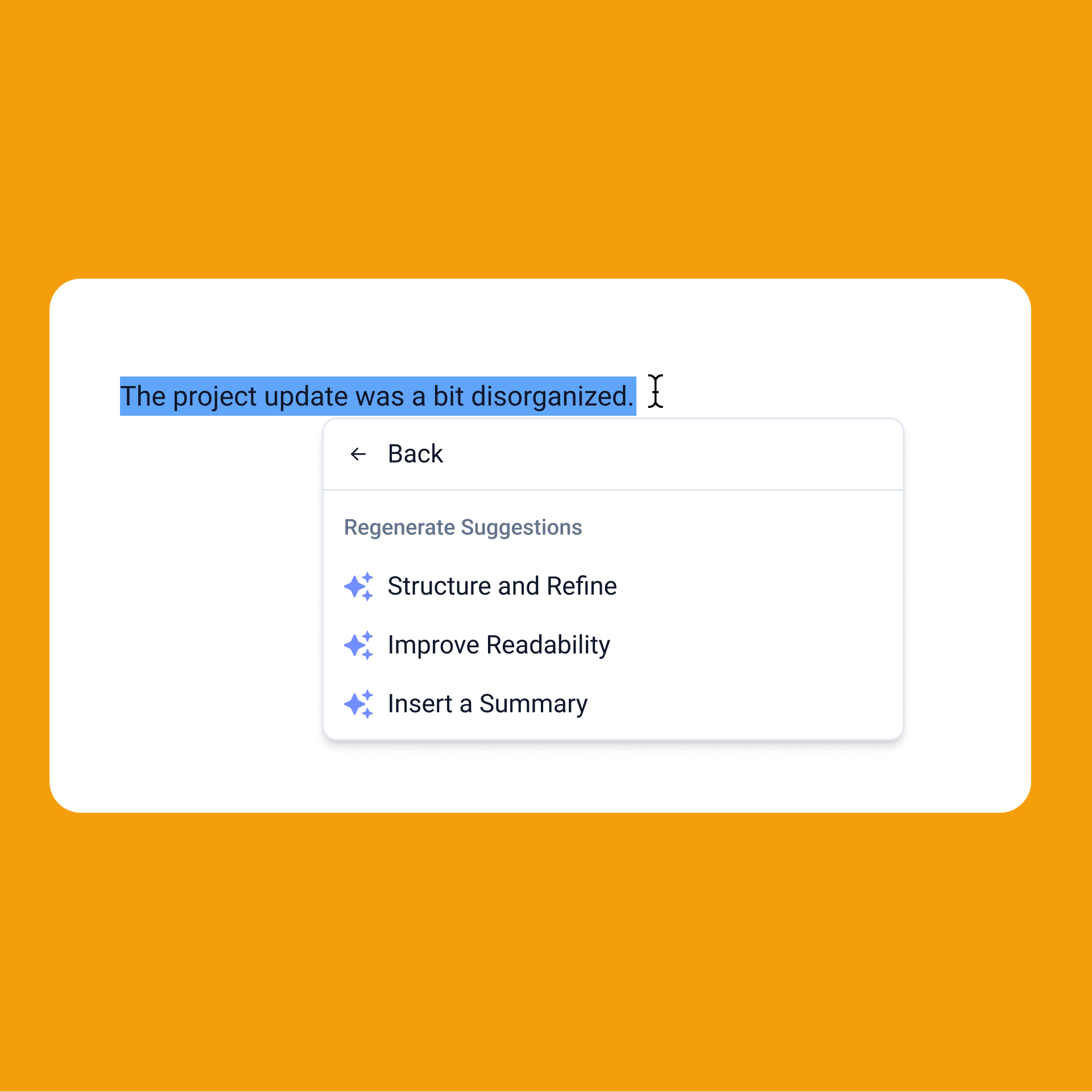
04 — Refine
Users can regenerate the suggestion by choosing how they want the text improved, giving them control over the final result.
Designing the motion
With the core interaction established, I explored how motion could make the experience feel more natural and understandable.
The goal wasn't simply to animate the interface, but to communicate the relationship between the user's input and the AI's response.
I focused on:
- The Rewrite action appearing after text selection
- The suggestion smoothly entering the interface
- Visual feedback while AI generates a response
- Transitions between different suggestions
- Making regeneration feel like a continuation of the same interaction
Bringing the interaction together
The final motion connects each step into a single flow:
Select → Rewrite → Generate → Refine
The result is an AI interaction that feels embedded in the product rather than like a separate tool, while motion provides feedback and helps users understand what is happening at each step.